YouTube Comment Picker for Giveaways — Pick a Random Winner
Run a fair YouTube giveaway in seconds. Pull the comments from any public video, filter them, and draw a random winner with a spin, slot, or fullscreen live reveal — free, no sign-up.
Choose your source
Filters & winners
How entries are countedPro
100 comments from 30 people become 30 entries — everyone gets one chance, no matter how often they comment.
Entry pool
No entries match your filters yet. Fetch comments or relax your filter rules.
Pick a winner
Fetch comments first to build an entry pool.
Why FateWheel
Everything you need to run a fair giveaway
From smart entry filters to a one-tap winner reveal you can post straight to your Story or Reel — all free, no sign-up.
Share to Stories & Reels
Pick your winner, then send the reveal clip straight to your Instagram or TikTok Story, a Reel, or anywhere else via your phone’s native share sheet — no editing required, with light FateWheel branding.
Download the video or image
Save the winner reveal as a vertical 1080×1920 MP4 or a shareable image — ideal for posting as proof or reusing later.
Spin, slot or live reveal
Reveal the winner with a spinning wheel, a slot-machine reel, or go fullscreen for a recordable live draw your audience can watch in real time.
Smart entry filters
Require a keyword, a minimum number of @mentions (tag-a-friend), or a date cutoff. Exclude accounts, remove duplicates, and cap entries per person.
Provably fair draws
Winners are chosen with cryptographically-strong randomness (crypto.randomBytes + rejection sampling), so every qualifying entry has an exactly equal chance.
Free, no sign-up
No account and no install. Free exports include light FateWheel branding. Run a fair draw, share the reveal clip, and redraw if you need to — instantly, on mobile or desktop.
Verifiable winner certificates
Every draw gets a shareable certificate with a unique link so entrants can verify the winner — or browse the public results directory to see recent draws from other creators.
Share the win
Show the winner, beautifully
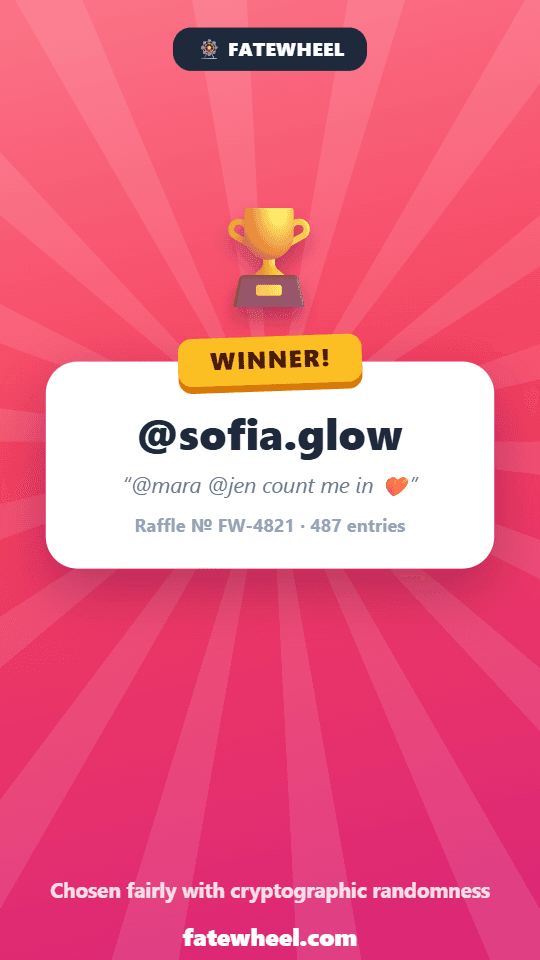
The draw is only half the story. Every result turns into ready-to-post proof — a reveal video, a winner image, a verifiable certificate, and an AI-designed winner announcement.


Our AI reads your giveaway post and designs a branded winner announcement — square for the feed, or 9:16 for Stories and Reels.
Verified certificate
Every draw gets a public, tamper-proof link your entrants can check.
Free exports carry light FateWheel branding.
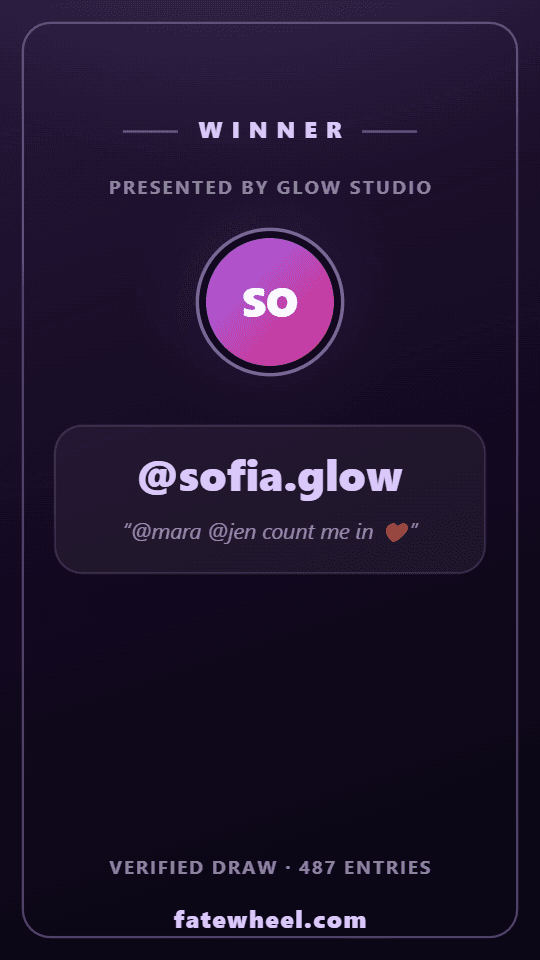
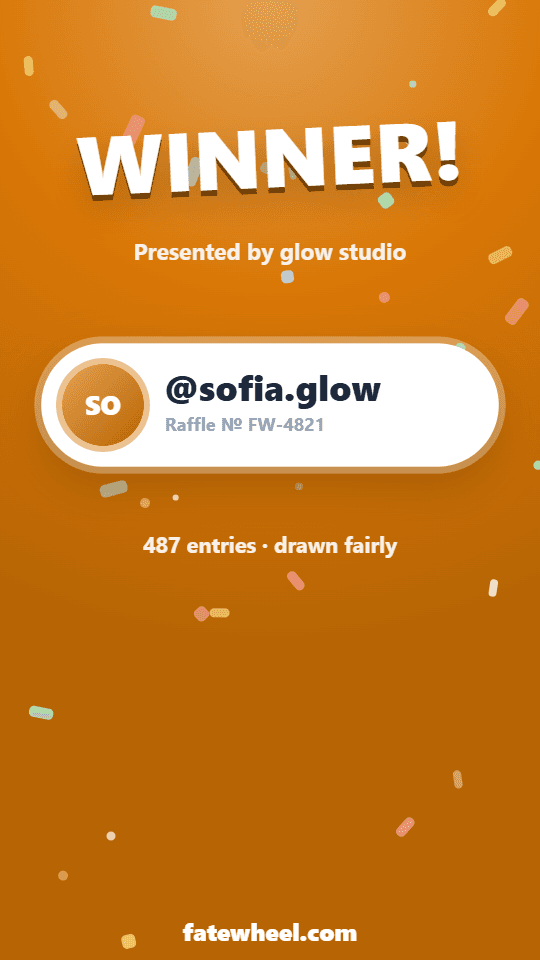
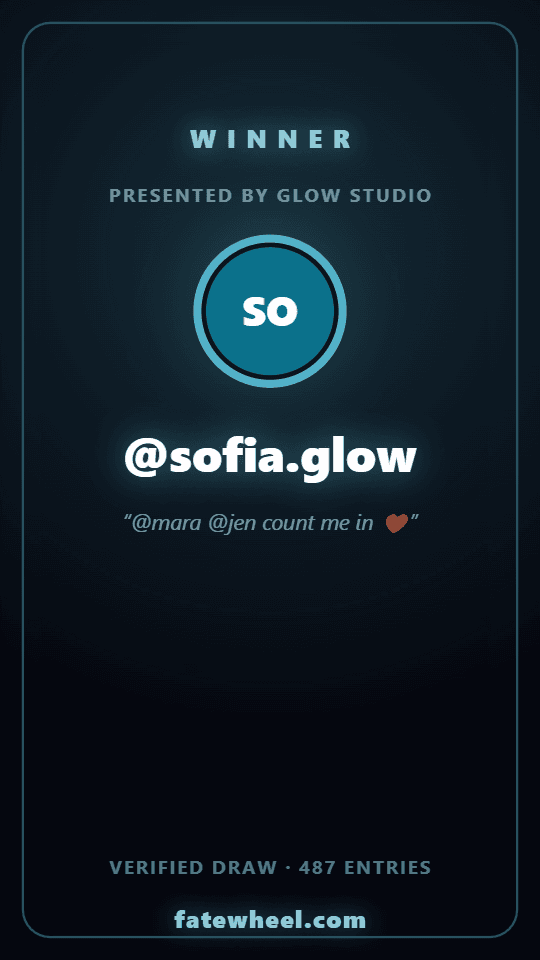
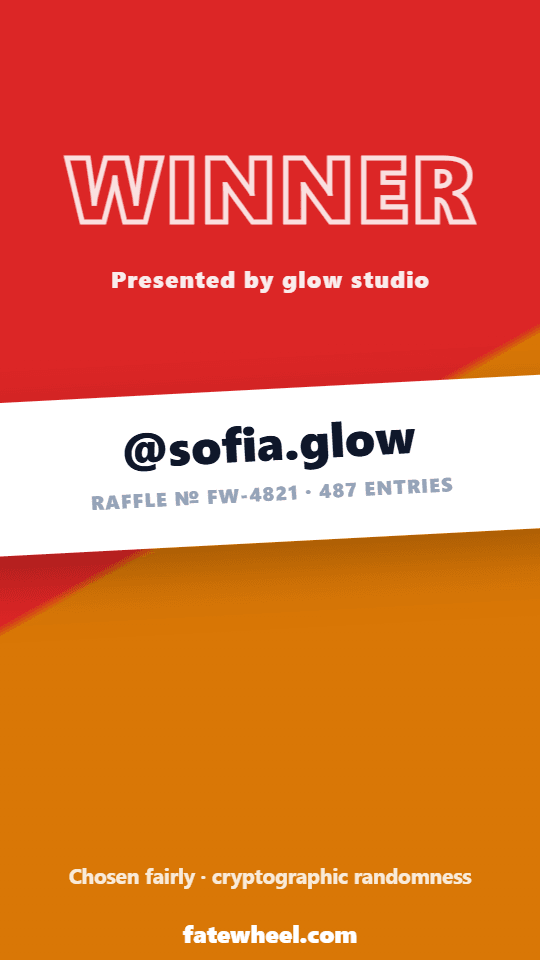
Winner card styles
Style the results to your brand
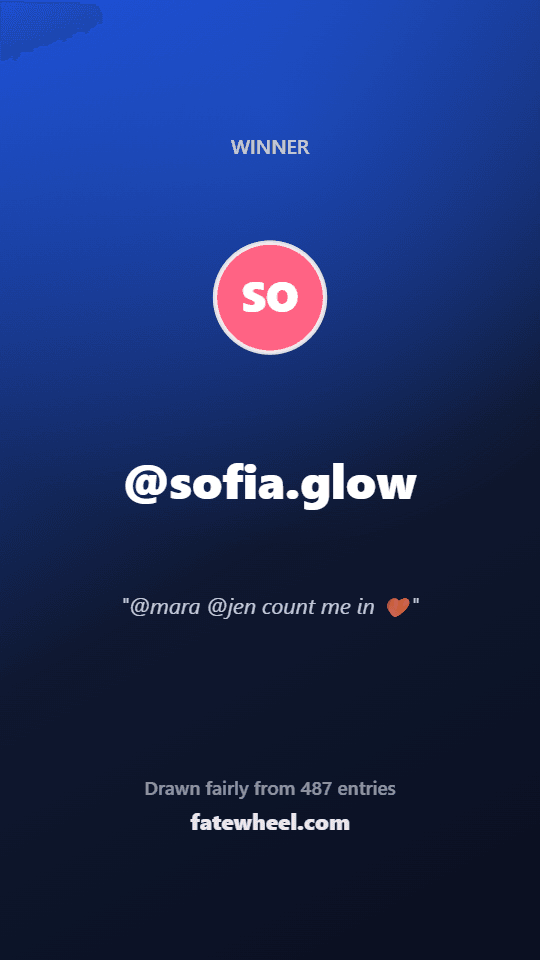
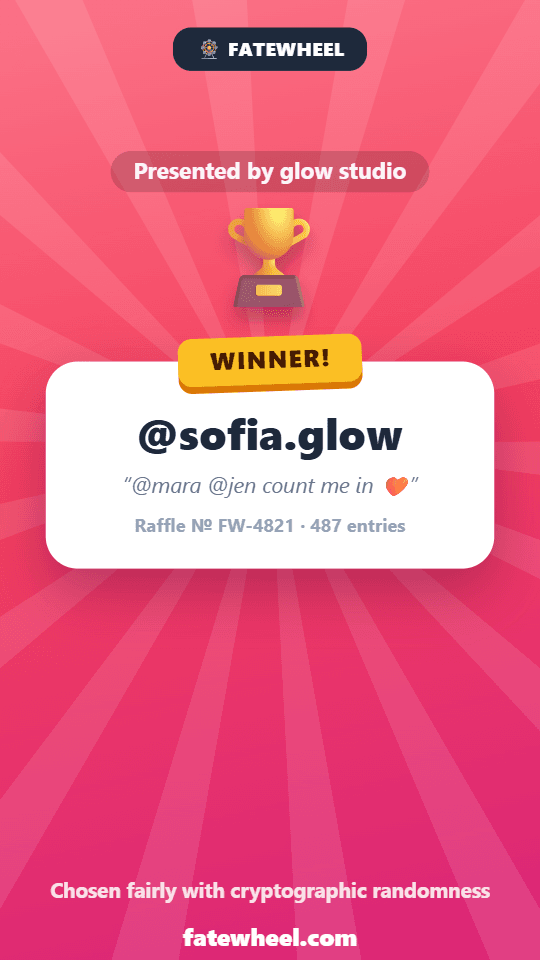
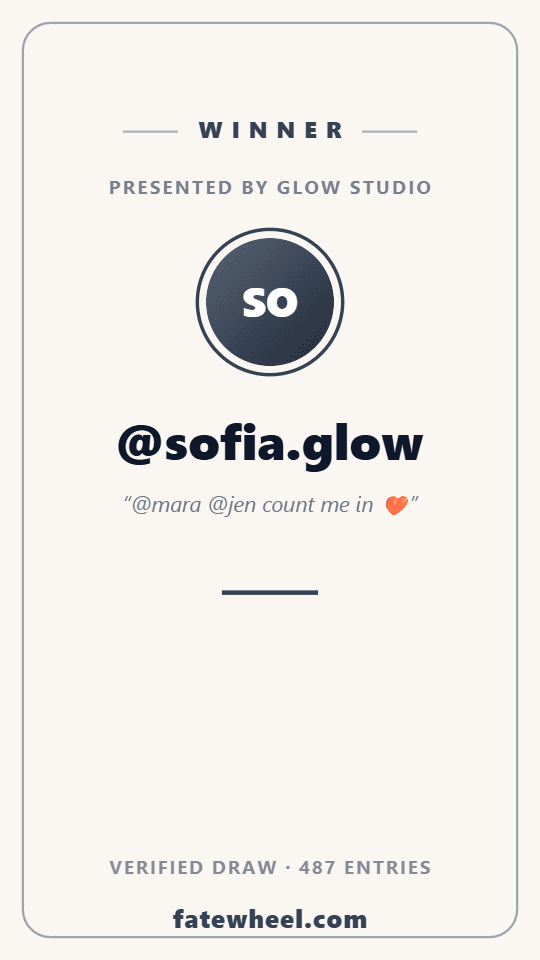
Seven winner-card designs — two free, five with Pro — each rendered in your brand colors on the video, image, and certificate.
How the YouTube comment picker works
Paste the video URL
Drop in any public YouTube video or Shorts link and we pull the comments automatically.
Filter the entries
Require a keyword, a minimum number of @mentions, or a date cutoff. Exclude your own channel.
Reveal & share
Spin a wheel, run the slot reel, or go fullscreen for a live reveal — then post the clip straight to your Story or a Short, or download it as a video or image.
When to use the YouTube Comment Picker
From subscriber milestones to product launches, FateWheel makes choosing a YouTube giveaway winner transparent and dispute-proof. Common ways creators use it:
- Subscriber milestones: Celebrate 1K, 10K, or 100K subs with a fair draw from the comments on your announcement video.
- Product & merch launches: Reward early viewers who commented on your launch video with a random prize.
- Sub-only giveaways: Require a keyword or @mention so only commenters who followed the rules qualify.
- Premiere & live chat: Pull comments after a premiere and draw a winner on your next stream.
- Channel collabs: Run a compliant cross-channel giveaway with auditable, keyword-based rules.
- Community polls: Pick a random commenter to feature or reward in your next video.
- Same giveaway on Instagram too: Posted it on YouTube and Instagram? Combine up to 10 posts from any platform into one fair draw (Pro or Giveaway Pass).
YouTube comment picker — FAQ
Q.How do I pick a random YouTube comment winner?
Paste your public YouTube video URL, click Fetch comments, optionally set filters (keyword, @mentions, date), then hit Start draw. FateWheel pulls the comments and selects a winner with a cryptographically-strong random pick.
Q.Is the YouTube comment picker free?
Yes — picking a winner is completely free with no sign-up. Sensible per-request limits keep the tool available to everyone, but normal giveaway use is free.
Q.Does it work with YouTube Shorts and live premiere comments?
Yes. Any publicly visible comments on a standard video, Short, or premiere can be pulled. Comments on private or members-only content cannot be read.
Q.Can I require viewers to leave a keyword or tag a friend?
Yes. Use the keyword filter to require a specific word, or the minimum @mentions filter to require viewers to tag friends in their comment.
Q.How fair is the draw?
Winners are chosen with Node.js crypto.randomBytes and rejection sampling to remove modulo bias, so every qualifying comment has an exactly equal chance.
Q.Can I remove duplicate comments from the same channel?
Yes. "One entry per unique username" keeps each channel to a single entry, so prolific commenters do not skew the odds.
Q.Do I need to log in to my YouTube or Google account to use it?
No. You never connect or log into a YouTube account — just paste the public video or Shorts URL. FateWheel reads the publicly visible comments directly, no channel access required.
Q.Can I combine this YouTube post with my Instagram post in one draw?
Yes. With Pro or a Giveaway Pass you can add up to 10 posts from Instagram, TikTok, YouTube and Facebook to the same draw, for example the same giveaway posted on YouTube and Instagram. Each person gets one entry per platform, and you can require entrants to have commented on at least N of the posts. The certificate lists every post and shows which one each winner commented on.
A fair, fast YouTube giveaway picker
FateWheel's YouTube comment picker is built for creators who care about fairness — no ads, no sign-up, no nonsense. Pull your comments, filter them, and reveal a verifiable random winner your audience can trust.
More Tools
Random Name Picker
Spin the wheel to pick a random name.
Country Picker
Explore the world with a random country picker.
Random Team Generator
Split people into random, balanced teams — a free group generator for classrooms, sports & work.
Yes/No Wheel
Quick decisions with a simple spin.
Secret Santa Generator
Draw Secret Santa names with no emails or sign-up.
Raffle Generator
Draw raffle numbers or names, prize by prize.
DnD Dice Roller
Roll d4–d100 with modifiers, advantage, and 4d6 stats.
Random Pokémon Generator
Generate a random Pokémon or team from all 1025 species.
Fantasy Name Generator
Generate elf, orc, dwarf, tiefling & dragon names.
Dog Name Generator
Find the perfect name for your new puppy.
Band Name Generator
Cool band names by genre — K-Pop, Metal, Rock & more.
Username Generator
Unique usernames for gaming, social media & forums.
Classroom Group Generator
Split your class into fair student groups in seconds — no sign-up.
Minecraft Circle Generator
Pixel-perfect circles & ovals for Minecraft builds.